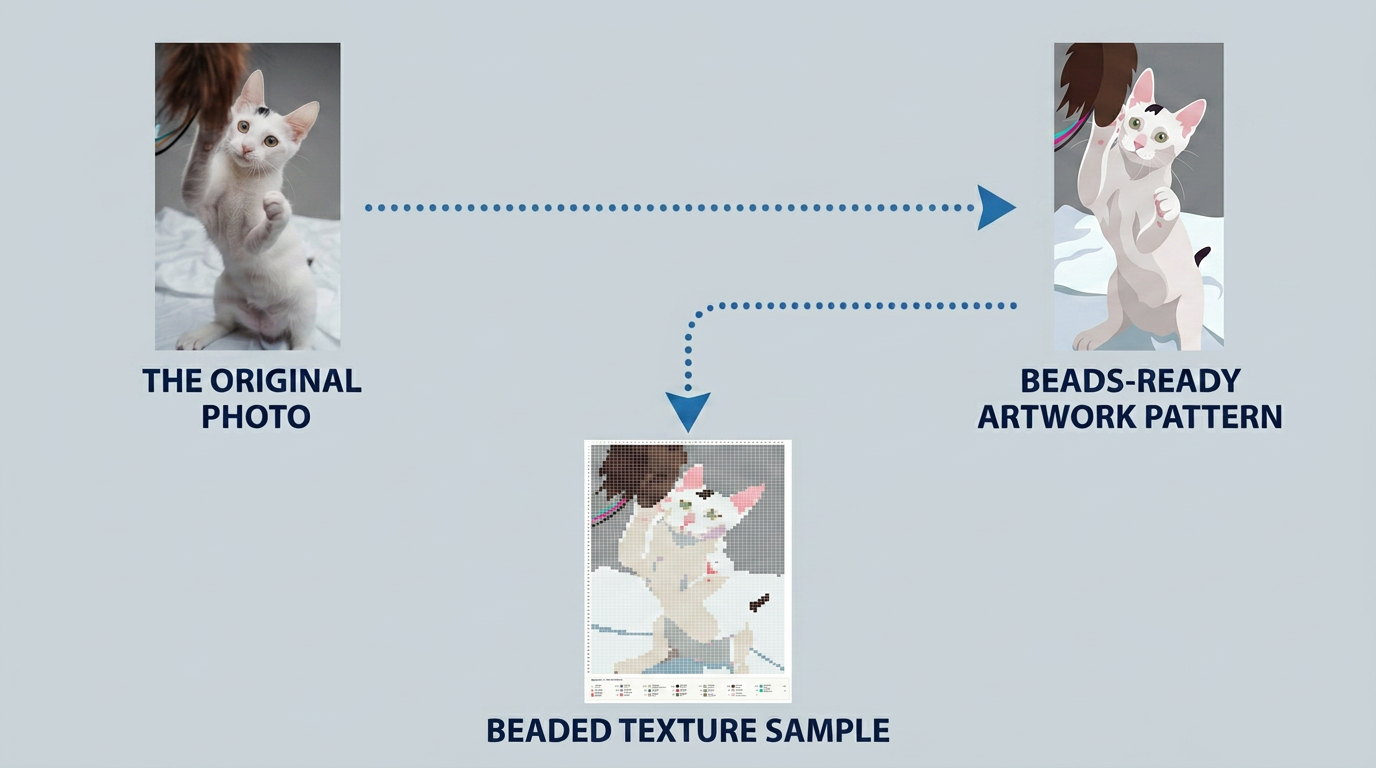
A cat photo transforming into a clean flat-color illustration, halftone dot illustration style

AI Image
Prep Guide.

Use these prompts in an AI image tool before uploading your image to Daddy Beads Studio.

Upload original photo Apply AI prompt Get bead-ready art 5 ready-to-use prompts
Why use AI first?
๐Ÿ“ทYour photo โ€” too many colors, tiny details, gradients
๐ŸŽจAI simplified โ€” clean flat color blocks, fewer colors
โœ…Result โ€” easier to craft, fewer bead types to buy

How to Use

1
๐Ÿ“‹ Pick & Copy โ€” Choose the prompt that matches your image below. Click Copy Prompt.
2
๐Ÿค– AI Process โ€” Upload your photo to an AI image tool (ChatGPT, Canva, Midjourney, Runway, Stable Diffusion), paste the prompt, then download the result.
3
๐ŸŽจ Upload & Generate โ€” Upload to Daddy Beads Studio โ†’ Generate. That's it.
AI-prepped images produce the cleanest bead patterns.

1. Universal Prompt ๐ŸŽจ Cartoon

Best for: Photos, artwork, pets, objects, product images, and most other images
Example: A product photo โ†’ clean flat-color illustration
Click to view full prompt
Transform the uploaded image into a polished, color-faithful flat cartoon illustration. Preserve the original subject, recognizable features, pose, composition, important objects, and key visual elements. Keep the subject clear, attractive, and easy to recognize. Strictly preserve the original image's dominant colors, color relationships, natural skin tones, fur colors, clothing colors, object colors, background colors, lighting mood, and overall color temperature. Do not recolor the image. Do not invent a new palette. Do not change identity-defining colors or replace the original dominant colors. Convert the image into a refined 2D cartoon illustration using smooth, continuous, connected regions of color. Use clean edges and large, coherent color shapes. Simplify photographic texture, fine tonal variation, and tiny details into broader, smooth shadow and highlight areas, while keeping all important colors visually faithful to the original image. Preserve the original background's main colors and its visual relationship to the subject, but simplify it into clean, large, connected shapes that do not compete with the main subject. Remove only unnecessary background clutter and insignificant tiny details. This is a clean source illustration for a separate perler bead pattern generator. Do not render a finished perler bead design. Do not create perler beads, fuse beads, circular dots, dot patterns, mosaics, pixel art, pixelated edges, square pixels, visible grids, checkerboards, graph paper, halftone, stippling, dithering, scattered speckles, text, letters, numbers, watermarks, logos, frames, or borders. The final result must be a beautiful, polished, color-faithful flat cartoon illustration with smooth, connected color blocks, ready for later conversion into a perler bead pattern.
Example output from Universal Prompt
Example: flat-color cartoon illustration generated from a photo using the Universal Prompt

2. Subject-First Portrait Prompt ๐ŸŽจ Cartoon

Best for: Portraits, family photos, close-up photos, and images where the person should be the clear focus.
Example: A family photo โ†’ flat-color cartoon portrait
Click to view full prompt
Transform the uploaded portrait or family photo into a polished, subject-focused flat-color cartoon portrait illustration. Treat the person or people as the only important subject. Preserve each person's recognizable facial identity, expression, hairstyle, existing accessories, pose, clothing design, and overall body proportions. Keep faces clear, warm, expressive, and easy to recognize. Strictly preserve the original colors of the people. Keep natural skin tones, hair colors, eye colors, clothing colors, and all existing accessories visually faithful to the original photo. Do not recolor people, change their color palette, alter skin tone, or change the overall color temperature of the subjects. Convert the people into a refined 2D cartoon illustration using large, smooth, continuous, connected flat-color regions. Use clean, intentional edges. Simplify skin, hair, clothing, and shadows into broad, readable color shapes. Use only a limited, harmonious range of tones for each area: a base color, an optional shadow color, and an optional highlight color. Remove pores, freckles, moles, blemishes, tiny wrinkles, stray hairs, photographic grain, tiny highlights, and subtle texture. Preserve each person's natural facial identity and original color relationships. Analyze the face area for important low-contrast details that may become unclear after the illustration is reduced to a small bead-pattern grid. This includes the boundaries and shapes of the eyes, eyebrows, eyelashes, pupils, nose, nostrils, lips, teeth, facial contour, ears, hairline, bangs, and any facial accessories that are actually present in the original photo. Where an important feature blends too closely into adjacent skin, hair, clothing, or the light gray background, improve readability by using a slightly darker and slightly more saturated version of that feature's original local color. Adjust only one or two tonal steps, staying within the same natural color family and preserving the original appearance. Use subtle, smooth, continuous edges or outlines only where needed. Do not introduce new accessories, do not invent facial features, do not alter the person's identity, and do not change the original overall color palette. Do not apply harsh black outlines, excessive contrast, or thick cartoon lines unless they are clearly present in the source image. Make facial details clear enough to remain recognizable after conversion to a 40 ร— 40 to 60 ร— 60 bead pattern, while keeping the portrait soft, natural, and color-faithful. Completely remove and ignore the original background. Do not preserve background furniture, scenery, plants, walls, objects, text, other people, shadows, dark areas, or detailed environmental elements. Replace the entire original background with one clean, uniform, solid light gray color, similar to #D9DCE2. The background must be completely flat and consistent from edge to edge, with no gradient, texture, pattern, shapes, shadows, or additional colors. This is a clean source illustration for later conversion by a separate perler bead pattern generator. Do not create a finished bead pattern or pixel-art version. Do not create perler beads, fuse beads, circular dots, dot patterns, mosaic, pixel art, pixelated edges, square pixels, visible grids, checkerboards, graph paper, halftone, stippling, dithering, scattered speckles, text, logos, watermarks, borders, or frames. The final result must be a beautiful, color-faithful, subject-focused flat cartoon portrait on a uniform solid light gray background. Use large connected color blocks, clean readable facial details, subtle same-color-family contrast enhancement where needed, and preserve all original visible people, features, and accessories for reliable later conversion into a perler bead pattern.
Example output from Portrait Photo Prompt
Example: flat-color cartoon portrait generated from a photo using the Portrait Photo Prompt

3. Pet Photo Prompt ๐ŸŽจ Cartoon

Best for: Cats, dogs, birds, and other pet photos
Example: A cat photo โ†’ flat-color cartoon cat
Click to view full prompt
Transform the uploaded pet photo into a refined flat-color cartoon illustration. Preserve the pet's recognizable breed characteristics, face shape, ear shape, eye color, fur markings, pose, expression, and overall composition. Keep the pet clearly recognizable. Preserve the original photo's dominant fur colors, eye color, markings, collar or accessory colors, background colors, lighting mood, and overall color balance. Do not recolor the pet. Do not replace the original palette, change the fur color, alter the eye color, or change the color temperature of the image. Convert the photographic appearance into a polished 2D cartoon illustration with smooth, connected flat-color regions. Represent the fur using broad, continuous color shapes that follow the pet's natural markings, rather than individual hairs, dots, or tiny fragments. Simplify shadows and highlights into a few large, smooth, connected areas while keeping the original colors visually faithful. Keep the eyes, nose, ears, muzzle, and major fur patches readable and expressive. Remove only unnecessary photographic micro-details, including individual fur strands, photo grain, visual noise, tiny highlights, overly subtle shadows, and complex background objects. Simplify the original background using its existing dominant colors, arranged as clean, large, smooth color areas. Keep the original composition and color relationship between the pet and its background. This image is a source illustration for later conversion into a perler bead chart. It must not look like a finished bead artwork. Do not create perler beads, fuse beads, round dots, dot patterns, mosaic, pixel art, pixelated edges, square pixels, visible grids, checkerboards, graph paper, halftone, stippling, dithering, scattered speckles, text, logos, watermarks, or frames. The final image should be a beautiful, color-faithful flat cartoon pet illustration with smooth, connected color blocks, suitable for a separate perler bead pattern generator.
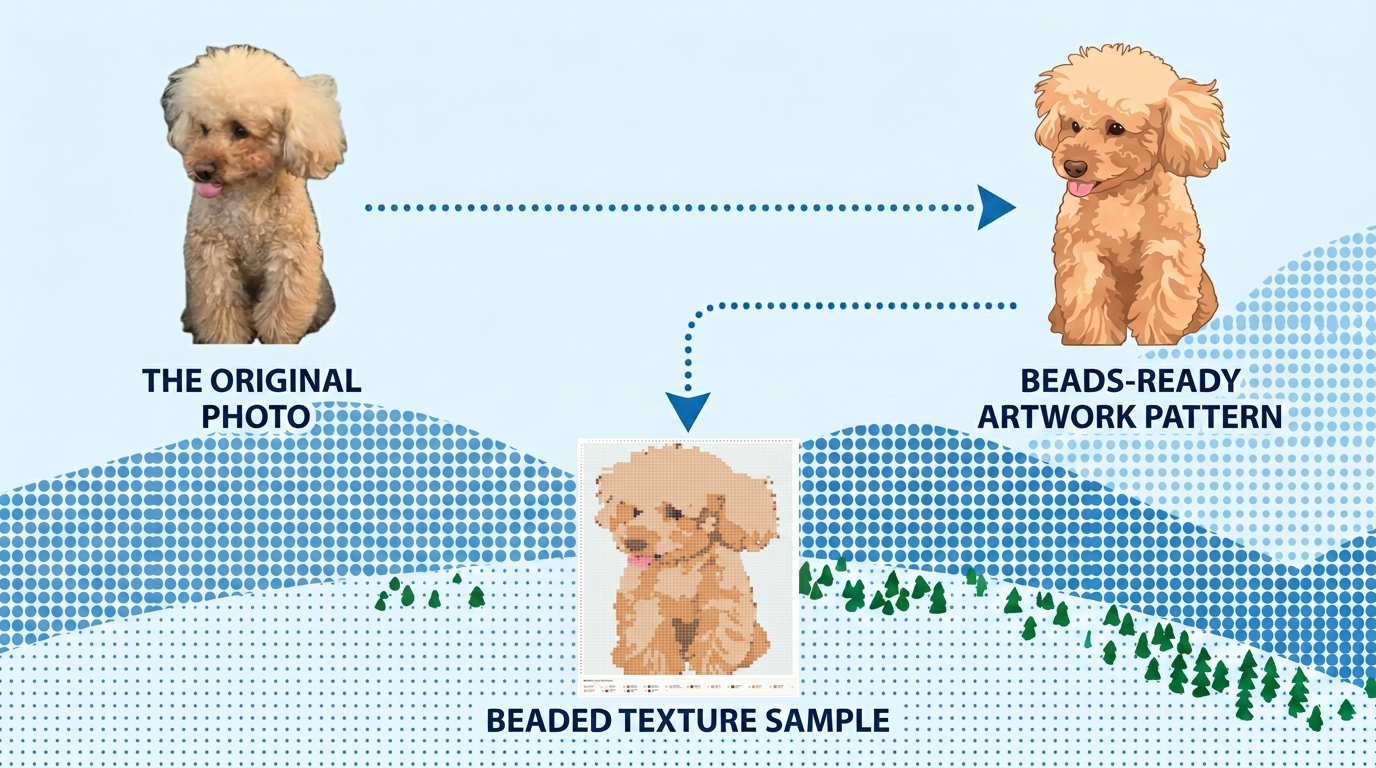
Example output from Pet Photo Prompt
Example: flat-color cartoon pet generated from a photo using the Pet Photo Prompt

4. Illustration & Character Prompt ๐ŸŽจ Cartoon

Best for: Anime screenshots, game characters, existing illustrations, and original characters
Example: An anime screenshot โ†’ clean flat-color character
Click to view full prompt
Transform the uploaded illustration or character artwork into a polished flat-color cartoon illustration while preserving the original artwork's visual identity. Keep the original character exactly recognizable. Preserve the character's face, hairstyle, pose, silhouette, body proportions, expression, costume design, accessories, important objects, and overall composition. Color accuracy is mandatory. Strictly preserve the original dominant colors and their relationships: keep the original hair color, skin tone, costume colors, accessory colors, object colors, background colors, lighting atmosphere, saturation, contrast, and color temperature. Use the uploaded image as the exact color reference. Do not recolor, restyle the palette, replace colors, shift hues, change saturation, or introduce a new color scheme. Convert only the rendering style into a clean 2D flat-color illustration. Replace complex gradients, lighting effects, glow, texture, fine particles, and tiny decorative variations with broad, smooth, connected areas of the same original colors. Keep important outlines and essential character details readable, but remove only non-essential micro-details. Preserve the original background's main colors and the relationship between the character and the scene. Simplify background details into large, connected, smooth color areas without changing the original scene's visual atmosphere. This is a clean source illustration for later conversion by a separate perler bead pattern generator. Do not create a finished bead pattern or pixel-art version. Do not create perler beads, fuse beads, circular dots, dot patterns, mosaics, pixel art, pixelated edges, visible pixels, square cells, grids, checkerboards, graph paper, halftone, stippling, dithering, scattered speckles, text, letters, numbers, logos, watermarks, borders, or frames. The final output must be a beautiful, clean, color-faithful flat cartoon illustration with smooth, continuous, connected color regions, ready for later conversion into a perler bead pattern.
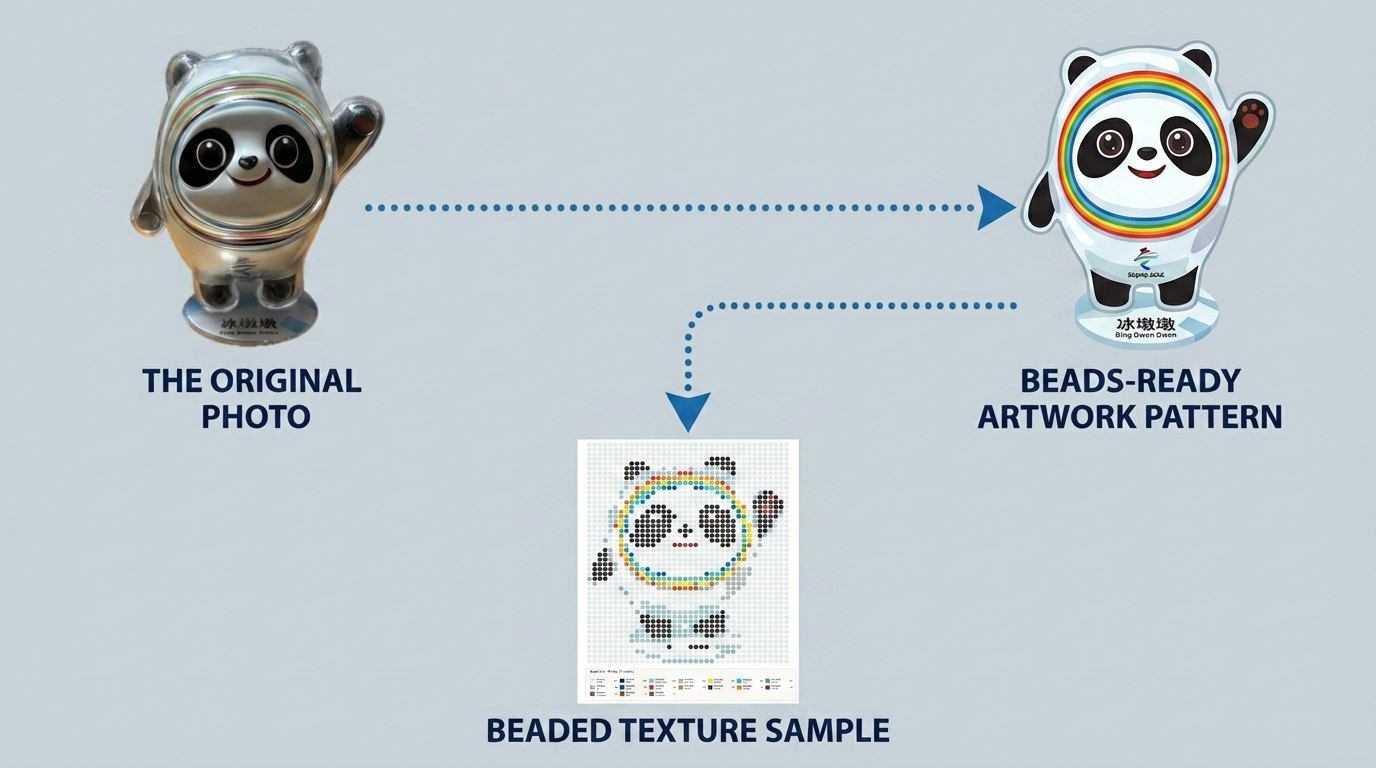
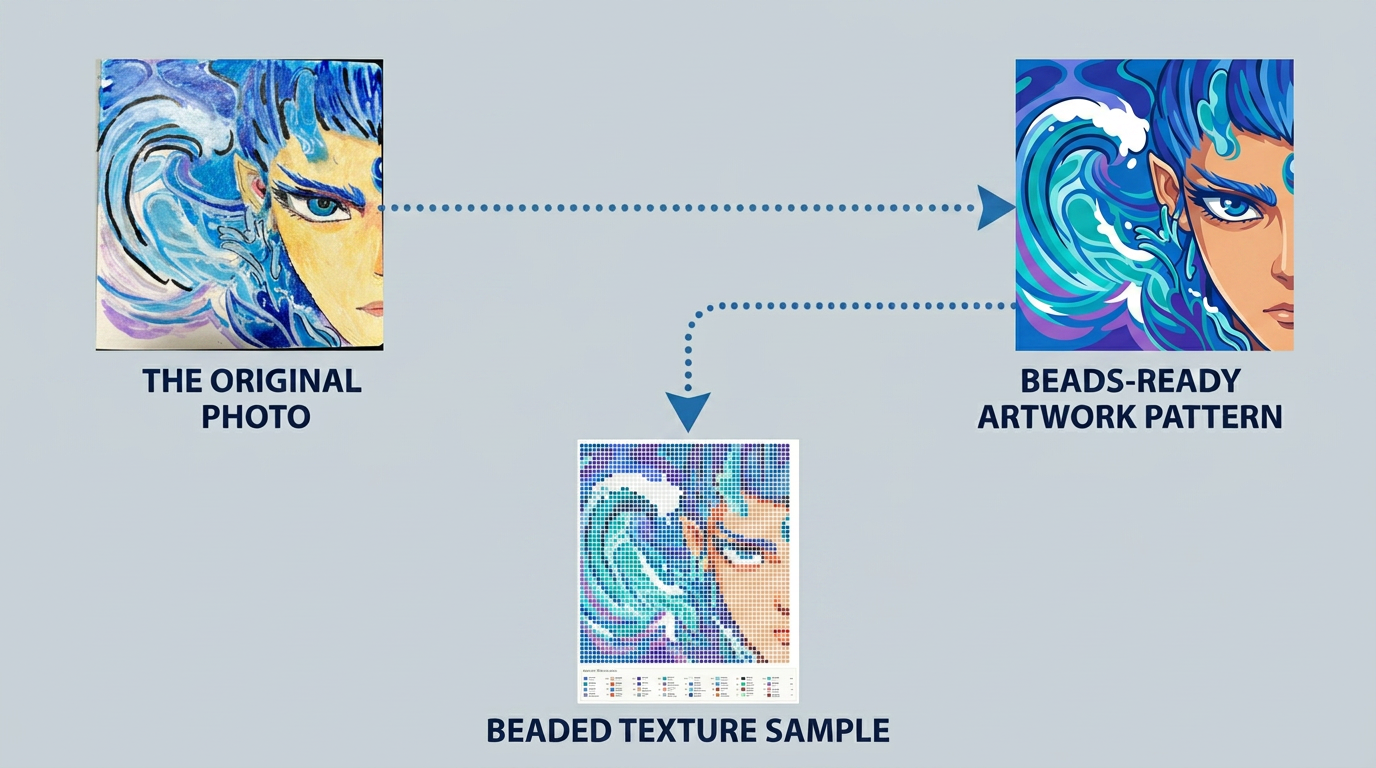
Example output from Illustration & Character Prompt
Example: flat-color cartoon character generated from an illustration using the Illustration & Character Prompt

5. Children's Drawing Prompt ๐ŸŽจ Cartoon

Best for: Children's drawings, hand-drawn sketches, doodles, and painted artwork
Example: A child's crayon drawing โ†’ neat flat-color illustration
Click to view full prompt
Refine the uploaded children's drawing, hand-drawn sketch, or doodle into a clean flat-color cartoon illustration while preserving the original artwork's creative identity. Preserve the original idea, subject, playful character, childlike charm, composition, main shapes, hand-drawn style, and important details. Keep the drawing recognizable as the child's original creation. Clean up only unclear, accidental, or unfinished edges without making the artwork look overly professional, generic, or different from the original. Color accuracy is mandatory. Use the uploaded drawing as the exact color reference. Strictly preserve its dominant colors, original coloring choices, color relationships, saturation, contrast, background colors, and overall color mood. Do not recolor the artwork. Do not create a new palette. Do not replace, shift, brighten, darken, or otherwise alter the original colors. Convert the artwork into clean, smooth, connected flat-color areas. Keep the original color regions visually faithful, while gently simplifying tiny accidental marks, uneven fill texture, scattered scribbles, and unnecessary micro-details into larger, continuous color shapes. Preserve intentional hand-drawn lines and expressive features. Remove only non-artwork artifacts, such as paper texture, shadows caused by photographing the paper, stains outside the drawing, camera glare, unwanted background objects, and signatures or text that are not part of the intended artwork. Preserve any letters, words, or symbols if they are clearly an intentional and essential part of the child's drawing. Keep the original background colors and scene relationship where they are meaningful. Simplify only unnecessary background clutter into clean, smooth, connected color areas. This is a clean source illustration for later conversion by a separate perler bead pattern generator. Do not create a finished bead pattern or pixel-art version. Do not create perler beads, fuse beads, circular dots, dot patterns, mosaic, pixel art, pixelated edges, visible pixels, square cells, grids, checkerboards, graph paper, halftone, stippling, dithering, scattered speckles, watermarks, logos, borders, or frames. The final result should be a neat, beautiful, color-faithful flat cartoon illustration that retains the child's original creative character and is ready for later conversion into a perler bead pattern.
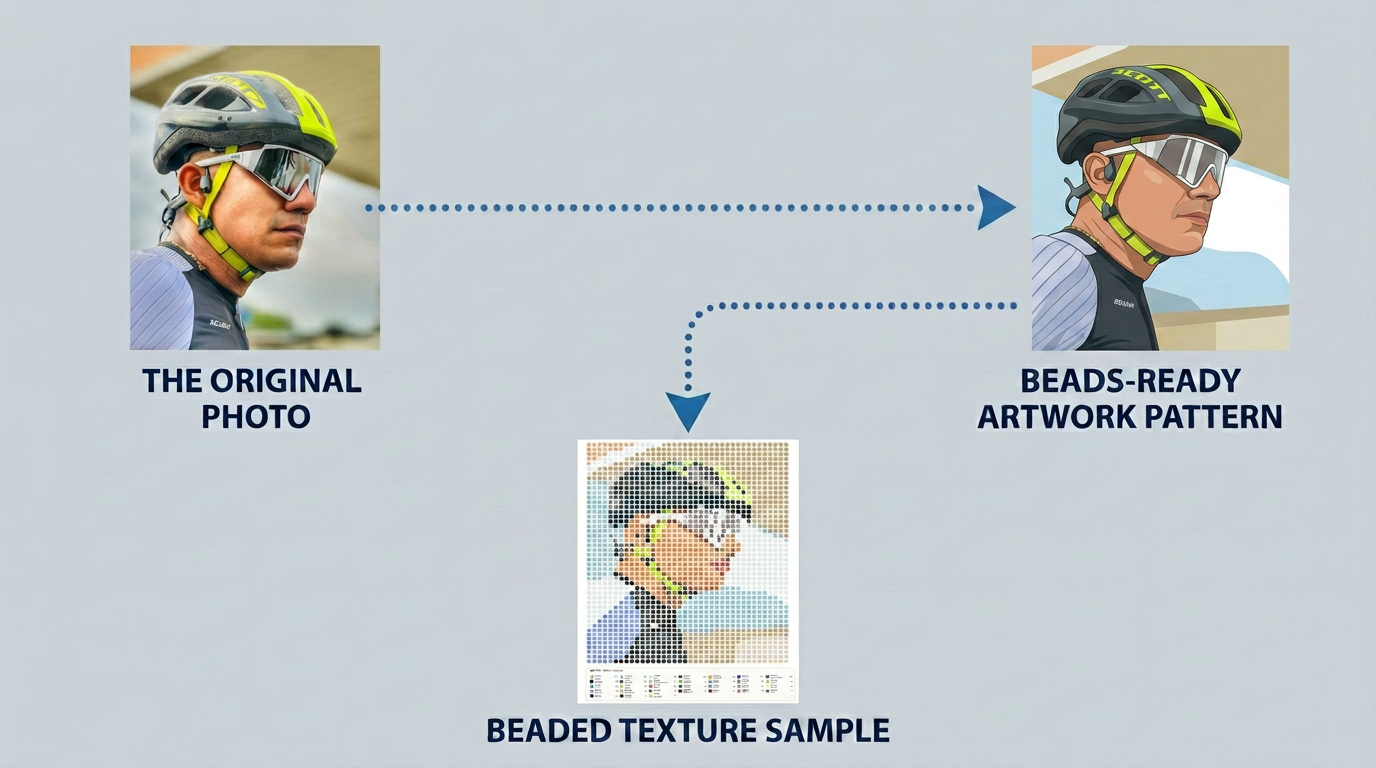
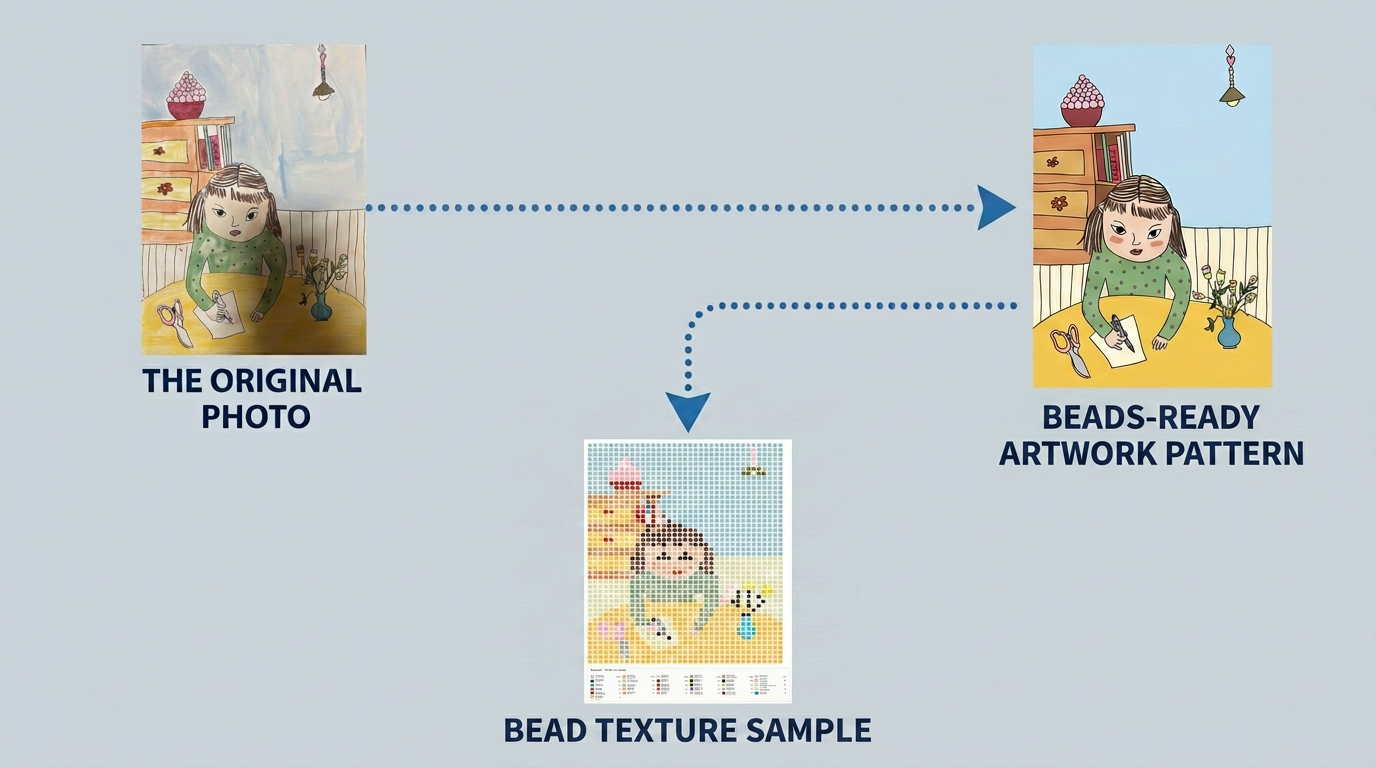
Example output from Children's Drawing Prompt
Example: flat-color cartoon illustration generated from a children's drawing using the Children's Drawing Prompt
Important Reminder

Avoid asking AI to "make a perler bead pattern," "make pixel art," or "use a limited palette." These requests may create visible beads, grids, dots, or unwanted color changes. Ask AI only for a smooth, flat-color source illustration. Use Daddy Beads Studio to create the actual bead pattern.

๐Ÿ”’ Your Privacy

Your images are processed locally in your browser. They are never uploaded to our servers or shared with third parties.

๐Ÿ“ฆ Brand Notice

Perler, Hama, and Artkal are trademarks of their respective owners. Daddy Beads Studio is not affiliated with, sponsored by, or endorsed by these brands.

โœ‰๏ธ Contact

Questions, ideas, or feedback?
hello@daddybeadsstudio.com

Back to Daddy Beads Studio

ยฉ 2026 Daddy Beads Studio ยท Made with love, from Dad.

Made with love, for every little bead artist.